

Wireless Security Camera Set Up
In today’s rapidly evolving world, a wireless security camera system has become an essential part of protecting homes and businesses. Modern property owners are increasingly choosing battery powered wireless security cameras because they offer reliable surveillance without the limitations of complex wiring. Whether you want to improve family safety, monitor deliveries or secure commercial spaces, investing in proper wireless security camera can significantly enhance peace of mind.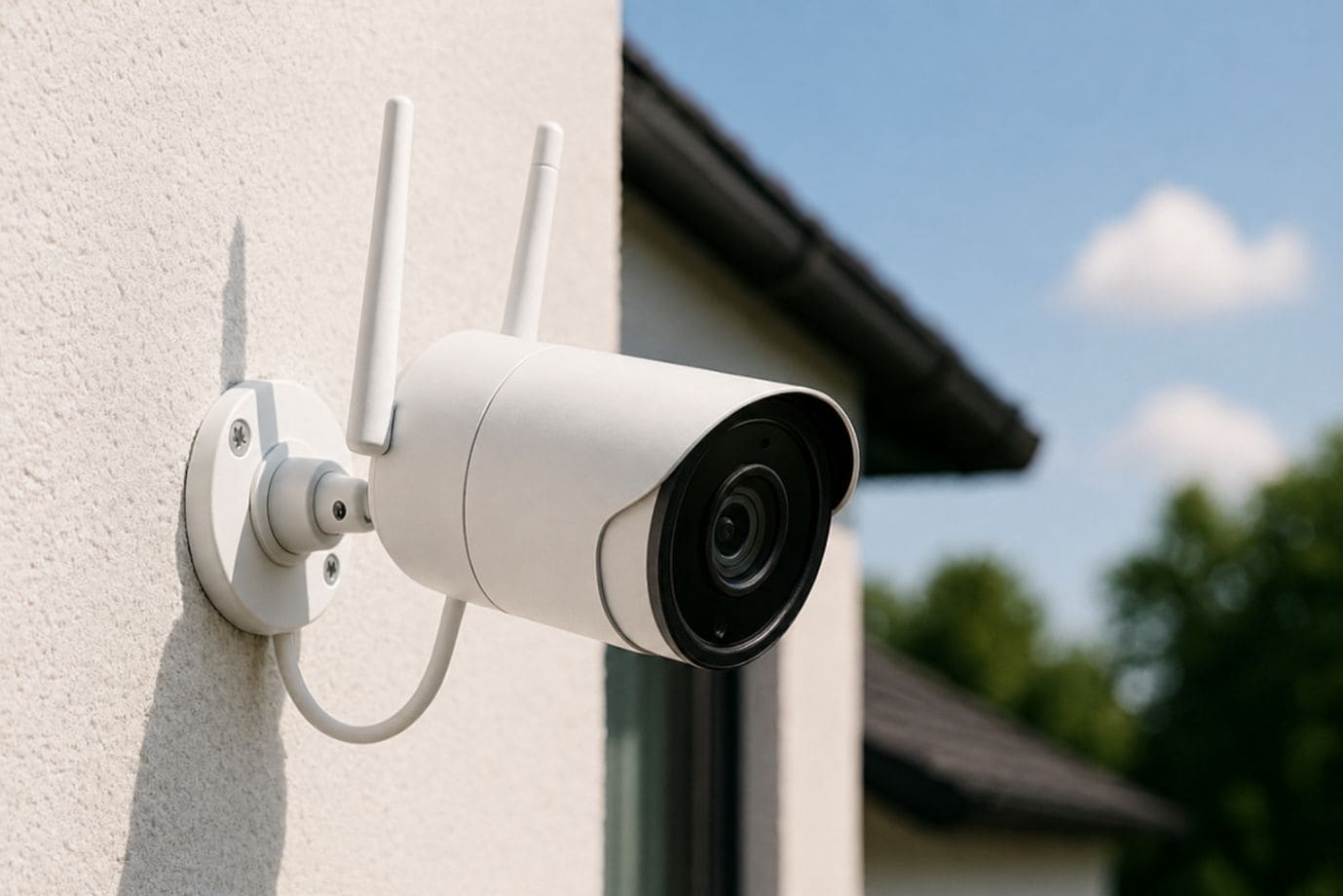
One of the biggest advantages of a wireless security camera is its simple set up process. Unlike traditional wired systems that require drilling through walls and extensive cabling, the easiest security cameras to install can often be mounted and activated in just a few steps. This makes it convenient for homeowners seeking to quickly set up camera systems without professional assistance.
Additionally, wireless solutions provide remote access, allowing users to view live footage from smartphones anywhere in the world. Their flexibility also means you can reposition devices as security needs change. For those seeking affordable protection, security camera setup with wireless models is often more cost-effective than wired alternatives. In this blog, you’ll learn how to install wireless security camera systems efficiently, including expert tips for maximum coverage and security.
Understanding Wireless Security Cameras
A wireless security camera is a modern surveillance solution that transmits video data over Wi-Fi, eliminating the need for extensive cabling while still requiring a power source unless fully battery-operated. These systems are ideal for both residential and commercial protection, simplifying the installation for users seeking convenience. It’s important to understand that wireless cameras differ from wire-free models. While wireless cameras use wireless internet for communication, wire-free options like battery powered wireless security cameras operate without both video cables and direct power connections, offering even greater flexibility.
There are several types of wireless security camera systems to suit different needs. Indoor cameras help monitor living spaces, children or pets, while outdoor models are weather-resistant for perimeter security. Doorbell cameras add front-entry monitoring, while bullet camera models are excellent for long-range outdoor surveillance. Advanced systems may include pan-tilt-zoom options, making ptz camera installation valuable for broader property coverage. Users can also choose between battery-powered units and plug-in models depending on convenience and maintenance preferences.
When planning a successful wireless security camera set up, key features matter. High-definition video resolutions such as 1080p, 2K or 4K improve clarity, while night vision ensures around-the-clock protection. Motion detection alerts, cloud or local storage, two-way audio and mobile app integration all enhance usability. Whether you need a basic cam setup or an advanced nvr camera system setup, understanding these features helps you effectively set up surveillance camera at home and optimize your security.
Step-by-Step Wireless Security Camera Set Up
Proper wireless security camera installation is essential for maximizing protection, improving surveillance coverage and ensuring long-term system reliability. Whether you’re using battery powered wireless security cameras, a bullet camera or advanced systems requiring nvr camera system setup, following the right steps will make your security camera setup more efficient and secure.
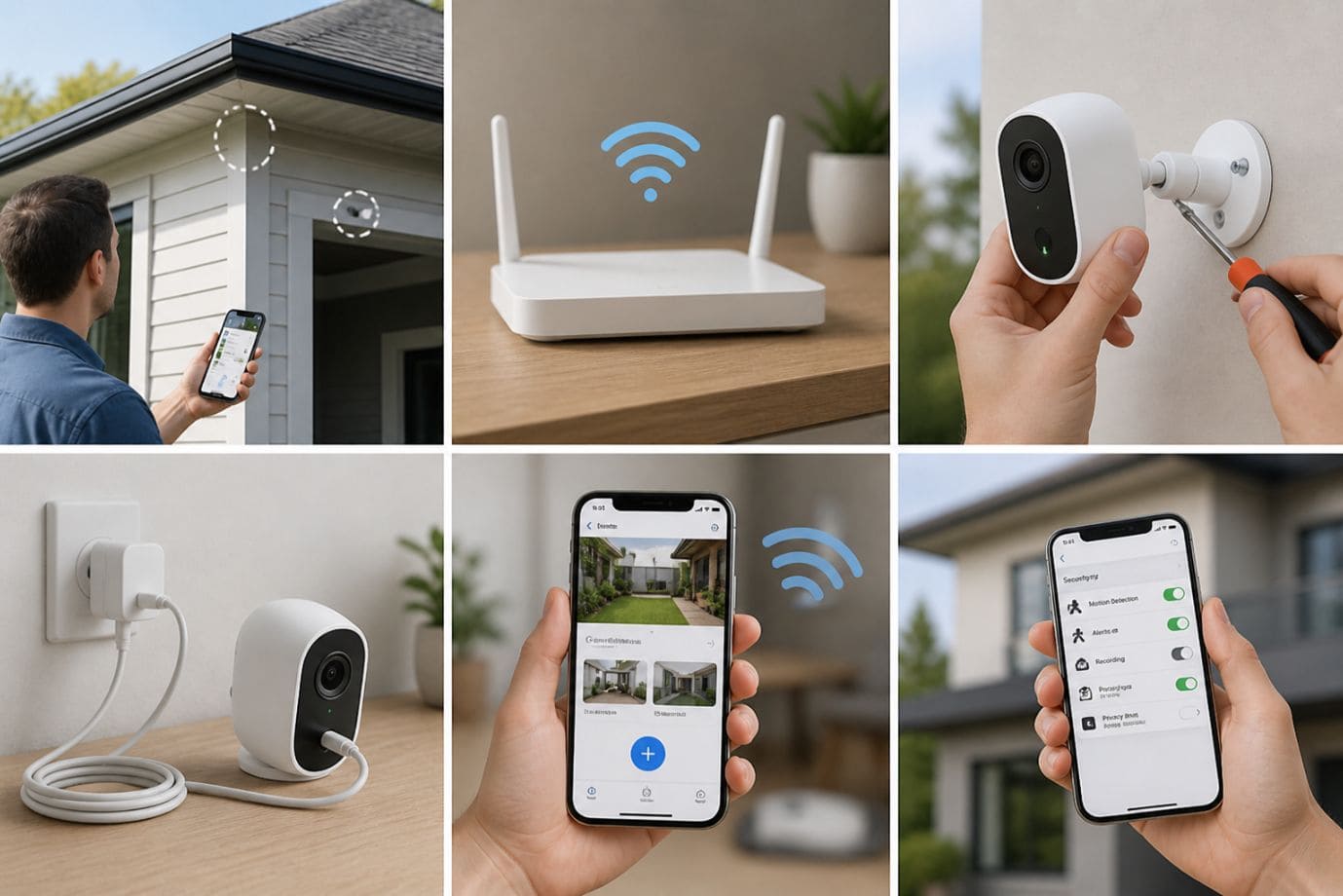
1. Select Optimal Camera Locations
-
- Choosing strategic locations is the foundation of successful installation of wireless security camera. Focus on vulnerable entry points such as front doors, backyards, garages and hallways. Front doors are crucial for package monitoring and visitor tracking, while backyard cameras help secure less visible areas. Garage placements protect vehicles and storage spaces, and hallway cameras enhance indoor monitoring.
- For the best set up, mount cameras approximately 8 to 10 feet above ground. This height provides a wider viewing angle while reducing tampering risks. Avoid placing devices behind glass or near large obstructions like trees, gutters or walls that can block visibility or interfere with motion detection. Proper positioning is especially important when performing ptz camera installation since pan and zoom functions require clear movement paths.
2. Ensure Strong Wi-Fi Coverage
-
- A strong internet connection is vital when you install wireless security camera Before finalizing placement, test Wi-Fi strength in each camera location using a smartphone or signal analyzer app. Weak connections can result in delayed footage, buffering or disconnections.
- If certain areas have poor coverage, Wi-Fi extenders or mesh systems can significantly improve performance. Position your router centrally within the home, away from thick walls or electronic interference, to support smoother set up and uninterrupted video streaming. Reliable connectivity is the key to effective set up of wireless security camera.
3. Mount the Cameras
-
- Once locations are chosen, securely mount each wireless security camera using the manufacturer’s brackets and hardware. Wall mounting is ideal for entrances and perimeter views, while ceiling mounting can offer broader indoor coverage.
- For outdoor systems, weatherproofing is essential. Ensure all seals are tightly secured and cameras are rated for rain, heat and dust exposure. Taking time to correctly set up camera hardware ensures stable long-term operation.
4. Connect Cameras to Power
-
- Powering your system depends on your chosen model. Battery powered wireless security cameras require fully charged batteries before activation, while some models support solar panels for continuous renewable power. Plug-in cameras should be positioned near outlets while safely concealing cables.
- Choosing the right power solution simplifies maintenance and improves your overall security.
5. Sync Cameras to Mobile App
-
- Modern wireless security camera systems rely heavily on app integration. Download the manufacturer’s app, create an account and follow instructions to set up surveillance camera at home. Most devices use QR code pairing for quick connection.
- Connect cameras to your Wi-Fi network, assign device names and perform firmware updates to access the latest security patches and performance enhancements. This step is crucial for streamlined cam set up and remote access.
6. Configure Security Settings
-
- The final step to install wireless security camera systems is optimizing settings. Create strong passwords to prevent unauthorized access, customize motion sensitivity to reduce false alerts and enable instant notifications for suspicious activity.
- Adjust recording preferences, including cloud or local storage options, scheduled recording and event-based triggers. A properly configured security camera setup ensures your surveillance system operates efficiently while delivering maximum security.
By following these steps, homeowners can confidently install wireless security camera systems, improve property protection and enjoy a reliable, user-friendly surveillance solution.
Common Wireless Security Camera Setup Problems and Solutions
Even with the easiest security cameras to install, users may encounter technical challenges during installation or daily operation. Understanding common issues and their solutions can help maintain a reliable security for home while ensuring uninterrupted protection.
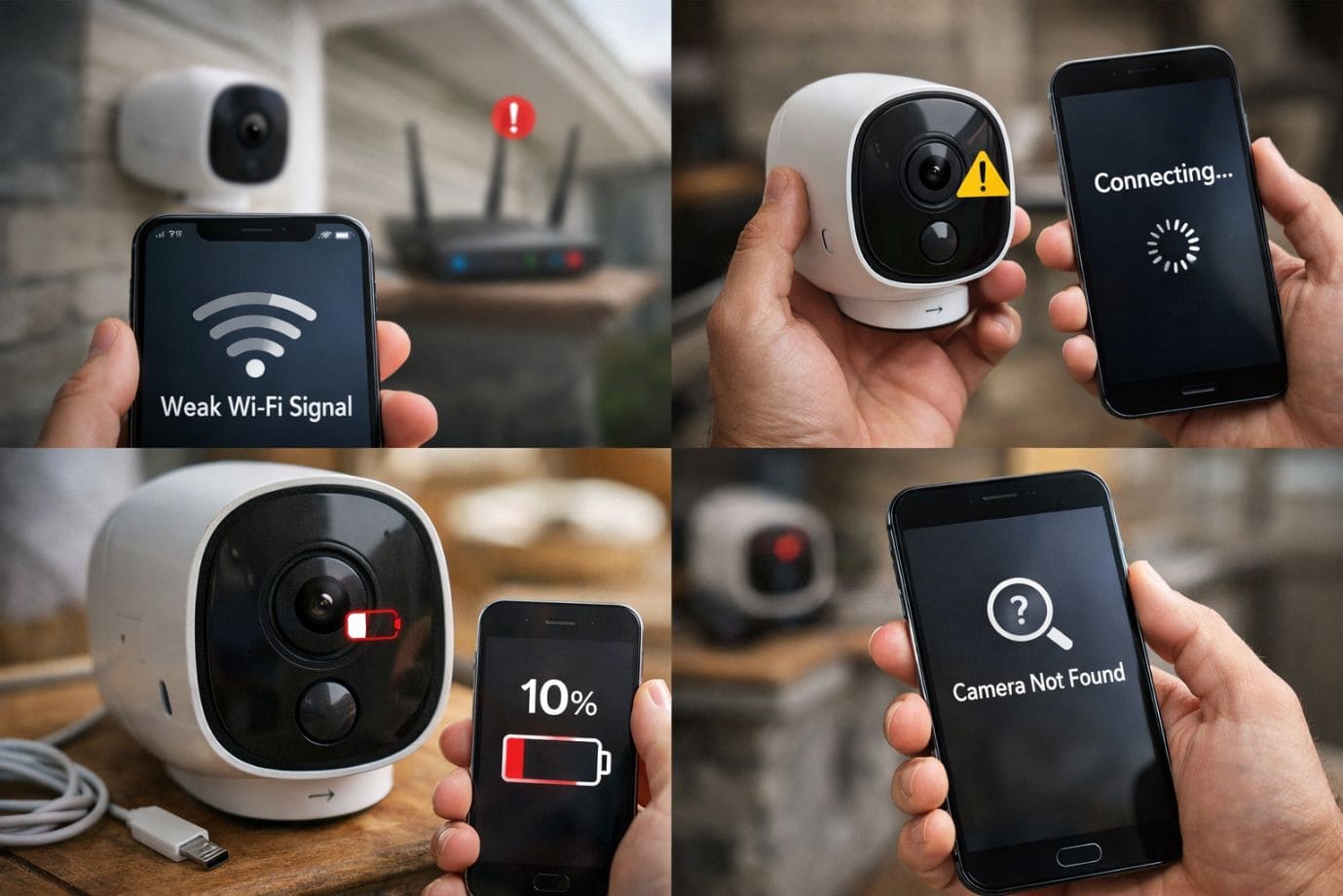
1. Weak Wi-Fi Signal
-
- A poor Wi-Fi connection is one of the most common problems affecting the performance of wireless security camera. Weak signals can cause video lag, delayed alerts or complete camera disconnection. This issue often arises when cameras are placed too far from the router or when walls and electronic devices create interference.
- To improve camera setup, consider upgrading your router to a more powerful model with better range. Wi-Fi extenders can also help boost coverage in larger homes. For comprehensive home security camera installation, mesh Wi-Fi systems are highly effective, providing seamless connectivity across multiple rooms and outdoor areas. Reliable internet access is essential when you install wireless security camera
2. Camera Not Connecting
-
- Sometimes, during wireless security camera set up, your device may fail to pair with the mobile app or Wi-Fi network. This can be caused by incorrect passwords, outdated software or network compatibility issues.
- Start by resetting the security camera to factory settings using the manufacturer’s instructions. Reinstall the app if necessary, verify your network credentials and ensure the camera firmware is fully updated. Regular updates improve compatibility, security and performance, making the set up smoother and more reliable.
3. Poor Video Quality
-
- Blurry footage or lagging streams can reduce the effectiveness of your security camera setup for home. Common causes include limited internet bandwidth, improper placement or dirty camera lenses.
- To optimize performance, reduce network congestion by limiting simultaneous device usage or upgrading internet speed. Reposition your bullet camera or other surveillance units for better lighting and visibility. Cleaning lenses regularly also improves image clarity. Whether managing basic systems or advanced nvr camera system setup, video quality is critical for accurate monitoring.
4. Battery Draining Quickly
-
- For battery powered wireless security cameras, rapid battery depletion can be frustrating. Excessive motion alerts, continuous recording and extreme weather conditions often increase power consumption.
- To extend battery life, lower motion sensitivity settings, activate power-saving modes, and schedule recordings strategically. Solar charging accessories can also provide long-term efficiency for outdoor cameras. These adjustments help users effectively set up surveillance camera at home while reducing maintenance demands.
By addressing these common issues, homeowners can confidently improve their wireless security camera’s performance, streamline how to install wireless camera systems and maintain dependable security coverage year-round.
Maintenance Tips for Long-Term Performance of Wireless Security Camera
Proper maintenance is essential to keep your wireless security camera system functioning efficiently over time. Even the best camera requires regular attention to ensure consistent security coverage, optimal performance and extended device lifespan. By following a few simple maintenance practices, homeowners can protect their investment and maintain dependable surveillance year-round.
-
Regular Software Updates
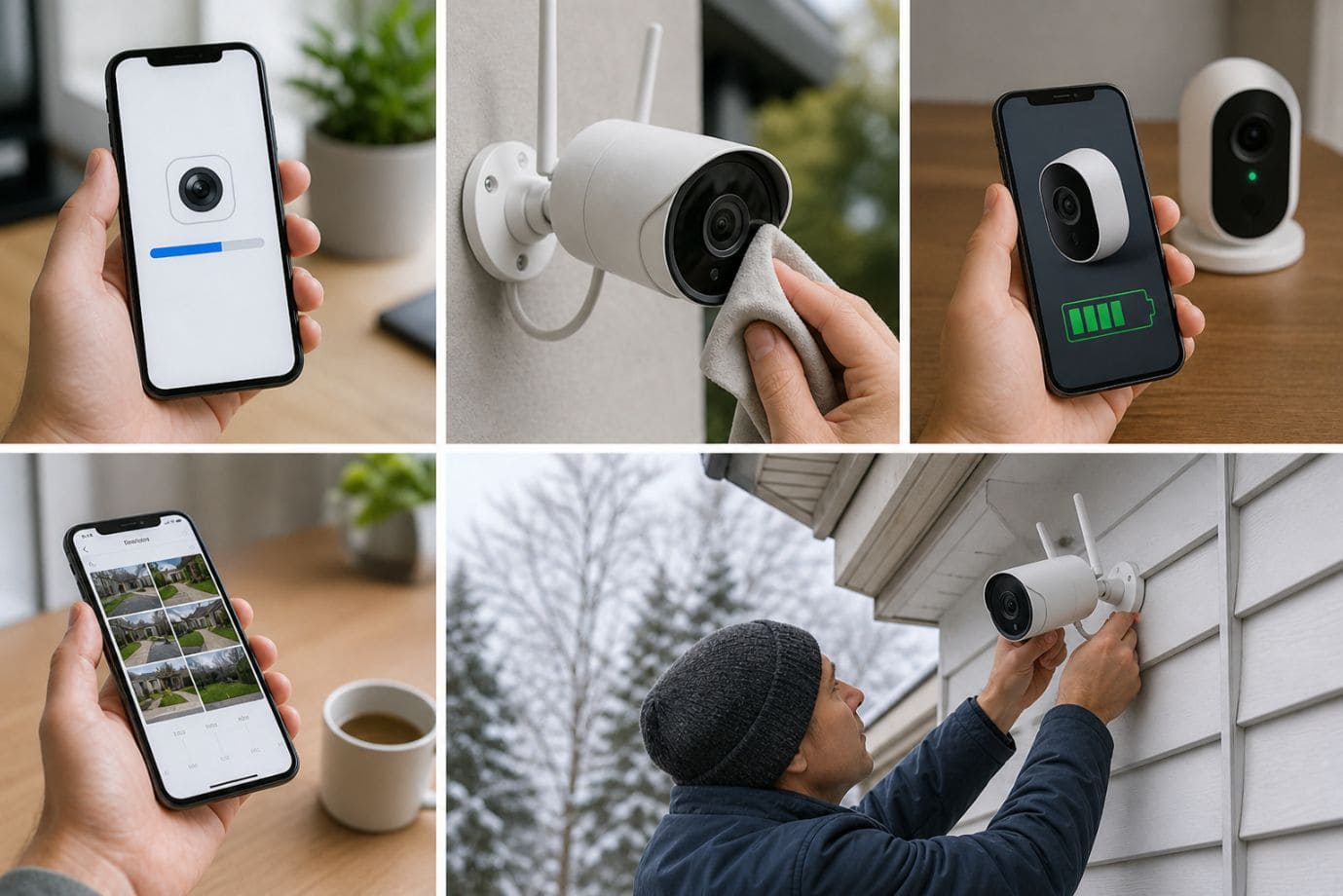
Keeping your wireless security camera firmware and mobile applications updated is one of the most important maintenance tasks. Manufacturers frequently release updates that improve system performance, fix bugs and strengthen cybersecurity protections. Regular software upgrades ensure your camera setup remains secure against potential vulnerabilities while providing access to the latest features.
-
Cleaning Lenses
Dirty or obstructed lenses can significantly impact video clarity. Dust, rain, fingerprints or spider webs can blur footage and reduce monitoring effectiveness. Regularly cleaning your bullet camera or other surveillance units with a soft microfiber cloth helps maintain sharp image quality and reliable motion detection.
-
Checking Battery Health
For battery-operated systems, monitoring battery performance is critical. Over time, battery efficiency may decline, reducing recording reliability. Check battery status regularly and replace or recharge units as needed to keep your wireless security camera functioning without interruptions.
-
Reviewing Security Footage
Periodically reviewing recorded footage helps verify proper camera angles, motion zones, and recording quality. This process can also identify storage issues or missed events, allowing you to optimize your camera setup for better security coverage.
-
Seasonal Adjustments for Outdoor Cameras
Outdoor wireless security camera systems may require repositioning or protective adjustments based on weather changes, shifting sunlight or seasonal obstacles like snow or foliage. Regular inspections ensure your cameras continue delivering clear, unobstructed surveillance in all conditions.
FAQs
Q1. What is the easiest way to complete a wireless security camera set up at home?
- The easiest way to complete wireless security camera set up is by selecting user-friendly models with app-based installation, strong Wi-Fi compatibility, and simple mounting systems. Many of the security cameras offer QR code pairing and step-by-step mobile guidance, making them manageable even for beginners.
Q2. Are battery powered wireless security cameras reliable for outdoor use?
- Yes, battery powered wireless security cameras are highly effective for outdoor monitoring, especially when combined with weatherproof housing and solar charging options. They provide flexible placement for users looking to set up surveillance camera at home without running power cables.
Q3. What is the difference between a bullet camera and other wireless security cameras?
- A bullet camera is designed for focused, long-range outdoor surveillance and is often used for driveways, entrances or perimeter monitoring. Compared to dome or indoor models, bullet camera systems are ideal for targeted set up.
Q4. Why is Wi-Fi strength important during cam setup?
- Strong Wi-Fi is essential during wireless security camera set up because poor connectivity can lead to buffering, delayed notifications and disconnections. For effective set up, ensure your cameras are within reliable network range or use extenders.
Q5. What should I do if my security camera set up fails?
- If your security camera set up is unsuccessful despite following all setup steps, first troubleshoot Wi-Fi, app and firmware issues. If problems persist, contact the manufacturer’s official support team or contact us via our support number for faster assistance with installation.
Conclusion
Setting up a reliable wireless security camera system is one of the smartest investments for protecting your home or business. From selecting the right camera type, whether battery powered wireless security cameras, bullet camera models or advanced systems like ptz camera or nvr camera, choosing optimal locations, ensuring strong Wi-Fi coverage and properly configuring security settings, plays a vital role in successful installation. A well-planned set up not only improves surveillance efficiency but also enhances long-term property protection.
Strategic placement and correct configuration are essential when you install wireless security camera systems. Proper positioning, strong passwords, motion detection settings and app integration all contribute to an effective set up. Regular maintenance, including software updates, lens cleaning and battery monitoring, further ensures your surveillance system remains dependable.
Whether you are using the basic security cameras or more advanced solutions, taking the time to properly set up camera systems provides lasting peace of mind through flexible, cost-effective security. If your set up is unsuccessful despite following these steps, you can contact the official manufacturer’s support team or reach us through the support number provided on our Homepage for faster assistance and expert guidance.
 Call for Voice Support